- -€7.00


15 days to change your mind


Mon-Fri 09:00-17:00

+31613071127

what other customers say about us

Our team is always ready to support you.


The update is suitable for Lexus & Toyota GEN8 13CY/15CY.
Map Update USB Europe 2025-2026 V1
The update comes on a USB + activation code
Instructions in the description!
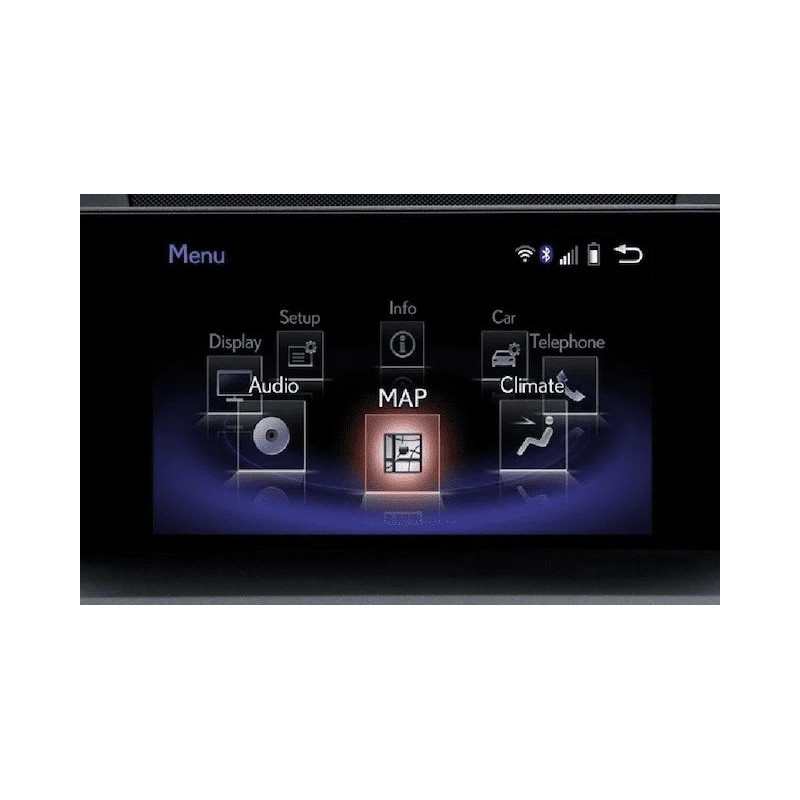
To confirm the version, please send us a photo of the " MAP VERSION" (see photos).
To see the version:
1. Press the “ MENU” button.
2. Select " CONFIGURATION" - SELECT " NAVIGATION" and then " MAP DATA" where you will find " MAP VERSION"
Secure payment
Order today, shipped within 24 hours
Return policy
15 days to change your mind
info@navi-carsystem.com
Opening hours
Mon-Fri 09:00-17:00
Whatsapp
+31613071127
Read up Trustpilot
what other customers say about us
Good service
Our team is always ready to support you.
Suitable for:
CT200h 2014-2019
ES250 2014-2019
ES300h 2015-2019
ES350 2015-2019
IS200t 2015-2019
IS220d 2014-2019
IS250 2014-2019
IS300 2015-2019
IS300h 2015-2019
GX460 2016-2018
NX200t 2014-2018
NX300h 2014-2018
RC200t 2015-2019
RC200h 2015-2019
RC F 2015-2019
Map updates are only compatible with models sold in Europe and the CIS.
Coverage :
Albania, Austria, Belarus, Belgium, Bosnia, Bulgaria, Croatia, Czech Republic, Denmark, Estonia, Finland, France, Andorra, Monaco, Germany, Greece, Hungary, Iceland, Ireland, Italy, San Marino, Vatican City, Latvia, Luxembourg, Macedonia, Malta, Moldova, Montenegro, Netherlands, Norway, Poland, Portugal, Romania, Russia, Serbia, Slovakia, Slovenia, Spain, Gibraltar, Canary Islands, Sweden, Switzerland, Liechtenstein, Turkey, Ukraine, United Kingdom.
Instruction .
1. "Start" the car.
2. Wait until the navigation system starts up.
3. Press the volume button - turns off the audio system.
4. Turn off Bluetooth on all phones paired with the radio!!
5. Insert the USB stick into a USB port, often in the armrest.
6. Press the "MENU" button on the joystick.
7. Click on the “SETTINGS” icon in the pop-up menu (Settings).
8. Scroll to the "Navigation" item.
9. Then select "Map Information".
10. In a new window, click the "Update Map" button.
11. The system starts checking the data saved on a USB stick.
12. If all is well, the system will ask you to enter the eight-digit code for the updated maps.
13. Enter the activation code.
14. The system can be independently reloaded several times or prompted for confirmation of action - the first 10-20 minutes should observe the upgrade process.
15. Wait for the update process to complete ~ 90 minutes.
16. Do not use while updating the audio and navigation systems.
17. Do not turn off the car until the update is complete!
18. After the upgrade, turn off the car's ignition. Wait about 1-2 minutes and then press "Start" again.
19. Enjoy it.
The update is suitable for Lexus & Toyota GEN8 13CY/15CY.
Map Update USB Europe 2025-2026 V1
The update comes on a USB + activation code
Instructions in the description!
To confirm the version, please send us a photo of the " MAP VERSION" (see photos).
To see the version:
1. Press the “ MENU” button.
2. Select " CONFIGURATION" - SELECT " NAVIGATION" and then " MAP DATA" where you will find " MAP VERSION"